

Hi friends,
This article is part of a blog series about building BananaBot, a physical AI that plays Bananagrams on a real table:
Part 1. Why I’m teaching an AI to play Bananagrams - (this article) - What physical AI and digital twins are, what BananaBot is, and the NVIDIA stack we will be using to build it.
Part 2. Still images, moving game - Training the bot’s eyes on still photos from the live feed, and why two small classic machine learning models beat the big AI models at watching a game.
Part 3. A full game with no camera at all - The simulator that emits exactly the frames as the DeepStream pipeline, so the bot could play, solve and talk while the camera is still unavailable.
Part 4. Giving it a voice - The voice agent using Pipecat: how it listens, thinks, and speaks, and how it controls and monitors the game through voice instructions.
Part 5. Running the DeepStream pipeline for real - How the camera pipeline came together on the Spark, and what the bot saw the first time it looked at a real table.
Part 6. BananaBot plays at the family table, and what comes next - A full game with everything working together, and plan how we can use Nvidia Isaac Sim for later experiments.
Building BananaBot
I’ve been curious about machine learning ever since I saw the hotdog, not-hotdog app in the Silicon Valley TV series, and I have since worked on a few machine learning projects in vision and voice. However, I wanted to go further with this one: see what it takes to build a complete physical AI system, from the camera to the voice for now, and later actually moving things around in the physical world.
NVIDIA has been talking a lot about physical AI and digital twins, and I wanted to find out what building one of these systems actually involves, end to end, rather than just reading about it. I also have access to a DGX Spark, so might as well use it. I originally acquired it to improve my AI engineering skills, specifically how LLM inference is done in production, and that ended up being useful here too (BananaBot’s voice runs its LLM on the Spark using vLLM, and its STT and TTS with NVIDIA NIMs on Docker containers, exactly the kind of inference serving I want to learn).
But what to build? It had to fit into a weekend project (well, quite a few weekends, as it turns out).
Bananagrams was an easy pick. It’s a family favourite, and we play it every week. And it’s easy enough for me to dip my toes into Nvidia’s physical AI stack without having to learn robotics or motion planning, for now.
We are building BananaBot!
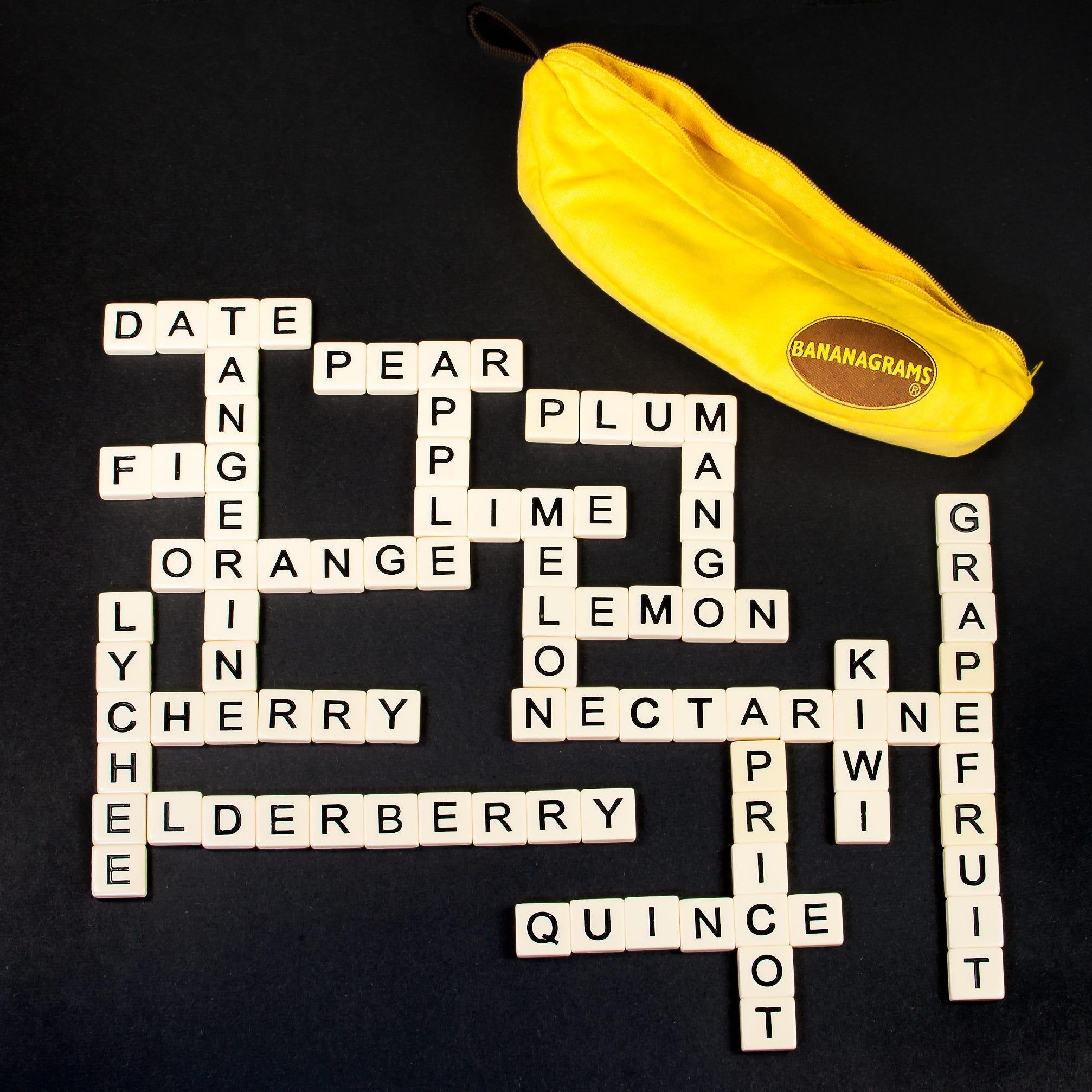
If you haven’t played it, think of it as Scrabble without the board. Everyone draws tiles from a face-down pile of 144 (the “bunch”) and races to build their own little crossword, calling “Peel!” to make everyone draw another tile, and “Bananas!” when their last tile is placed.
In this post we will look at what physical AI and digital twins actually mean, what BananaBot is, and the NVIDIA tools we will be using to build it.
So what is physical AI anyway?
Here is how NVIDIA defines it:
Physical AI lets autonomous systems like cameras, robots, and self-driving cars perceive, understand, reason, and perform or orchestrate complex actions in the physical world.
Most of the AI we talk about these days lives in text, where a prompt goes in and words come out. Physical AI has to take its input from the real world instead, through a camera or a microphone. For BananaBot, that means tiles scattered at every angle and lighting that changes from one game to the next (plus the odd hand reaching across the camera).
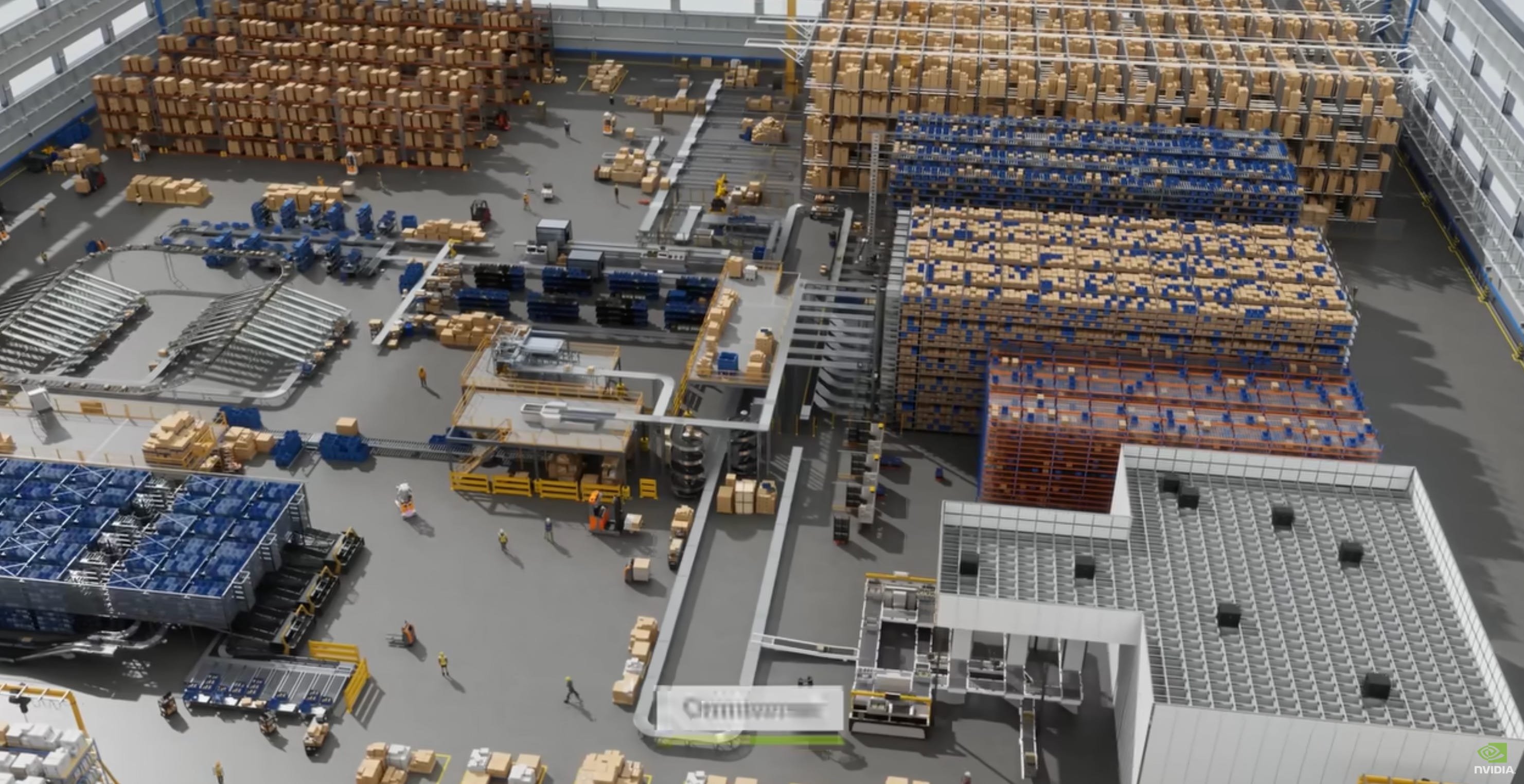
Notice that cameras come first in that list, even ahead of robots. BananaBot is exactly that kind of system, only with ears as well as eyes: a camera looking down at its tiles and a microphone listening to the players around the table. It has to perceive both, reason about which words it can make, and act by playing the game and talking to the other players.
It’s the difference between playing a word game on your phone and playing it on the kitchen table. On the phone, the game already knows every letter you hold and every move you make. On the table, BananaBot needs to see, identify, and understand the tiles on the table, and then know the rules of the game enough to play it against other players.
And what’s a digital twin?
NVIDIA again:
Digital twins are virtual representations of products, processes, and facilities that enterprises use to design, simulate, and operate their physical counterparts.
In plain words, a digital twin is a copy of something real that lives in software, faithful enough that you can interact against that copy instead of the real thing. A flight simulator is probably the oldest example most of us know.
BananaBot’s digital twin is a software representation of the game itself. It keeps a picture of the table at all times: which tiles the camera can see, which words make up the crossword, which tiles have been dumped, which have been peeled. It also keeps score of the conversation, the questions the players ask and the answers it returns, and it knows the moment the game reaches a win, or a stalemate. It does fall short of being a full-blown twin, by not having a way (for now) of controlling the physical world.
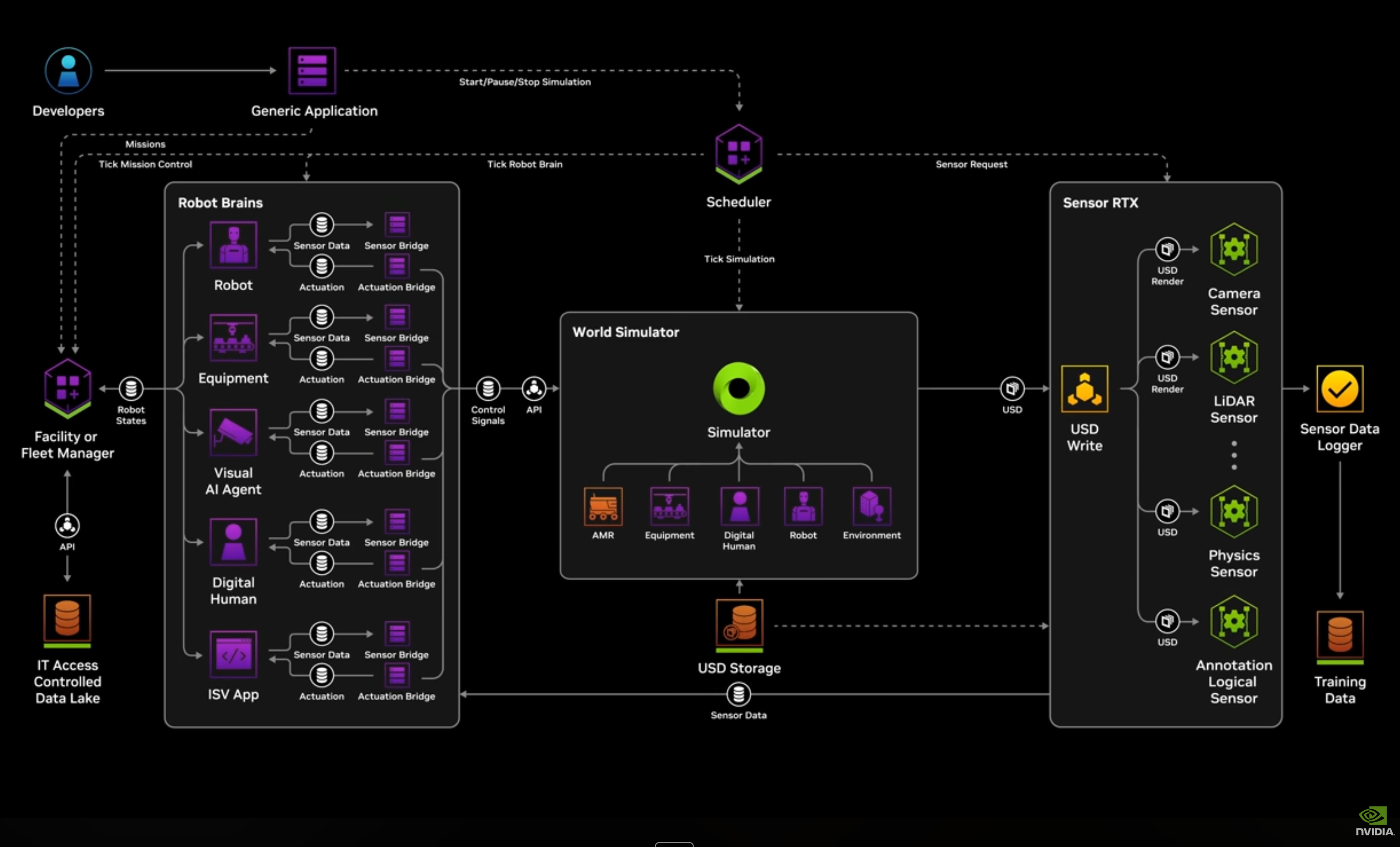
Around that twin, the architecture has a few supporting parts, and we will meet all of them in this series. The first is a simulator that stands in for the camera while it is not yet available (I had to source one first), producing exactly the same frames the real pipeline will, so the rest of BananaBot can run without a camera at all. It works today, and it’s the subject of Part 3.
The second is a 3D scene of the table and tiles in NVIDIA Isaac Sim, where Replicator renders synthetic training images with perfect labels to feed the training process. That one is still a plan (I’m still learning about it), however it’s where my curiosity is heading, so we will come back to it at the end of the series.
What we are building
BananaBot sits at the table as one of the players. Its tiles lie on a small mat, a 4K camera looks straight down at them from about 35 cm, and the DGX Spark does everything else.
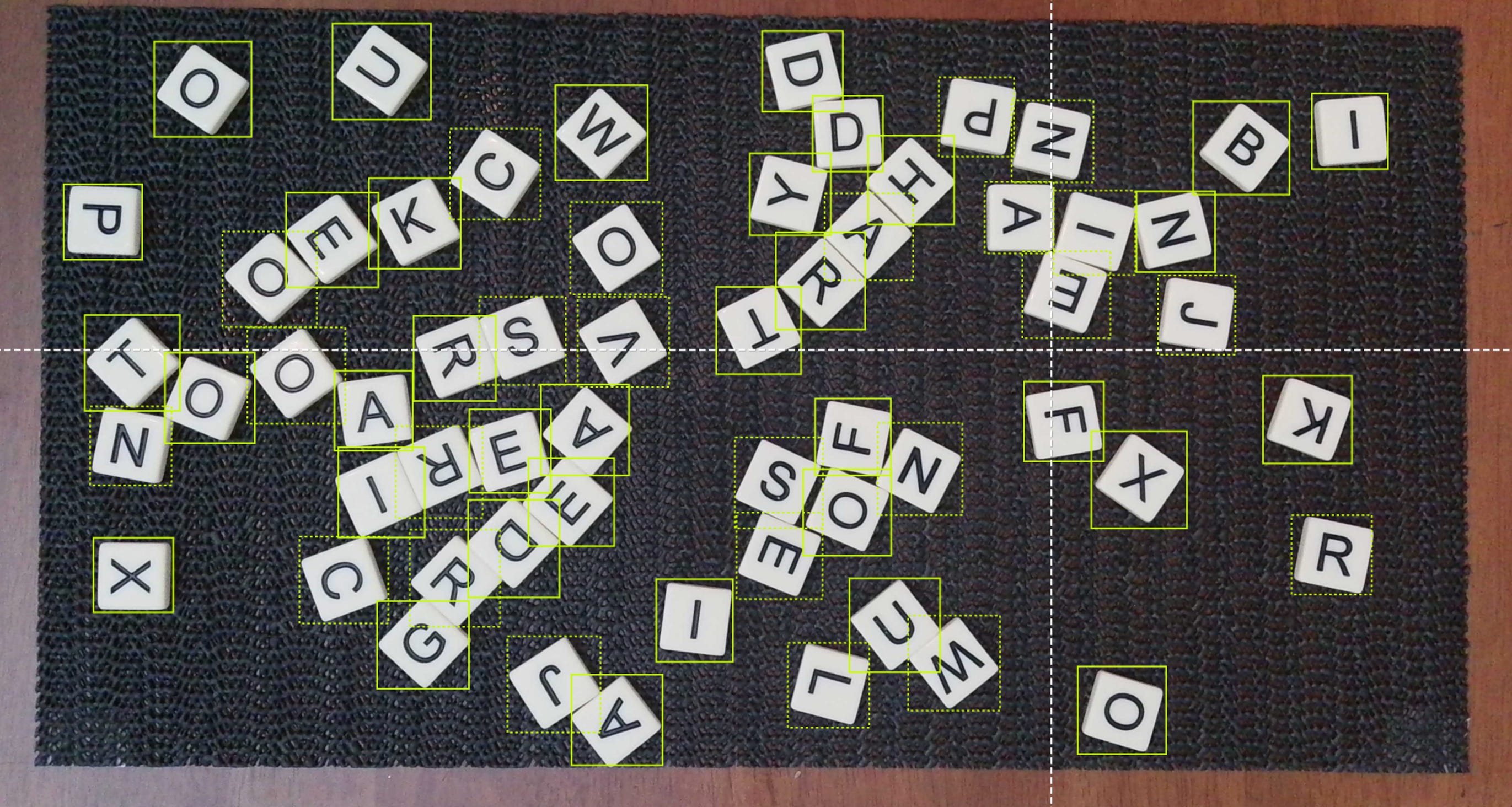
There are two senses feeding one game: eyes on the tiles, and ears (plus a mouth) on the conversation around the table. Both of them feed the digital twin in the middle (the tall yellow box below), and everything else BananaBot does either reads from it or writes to it.
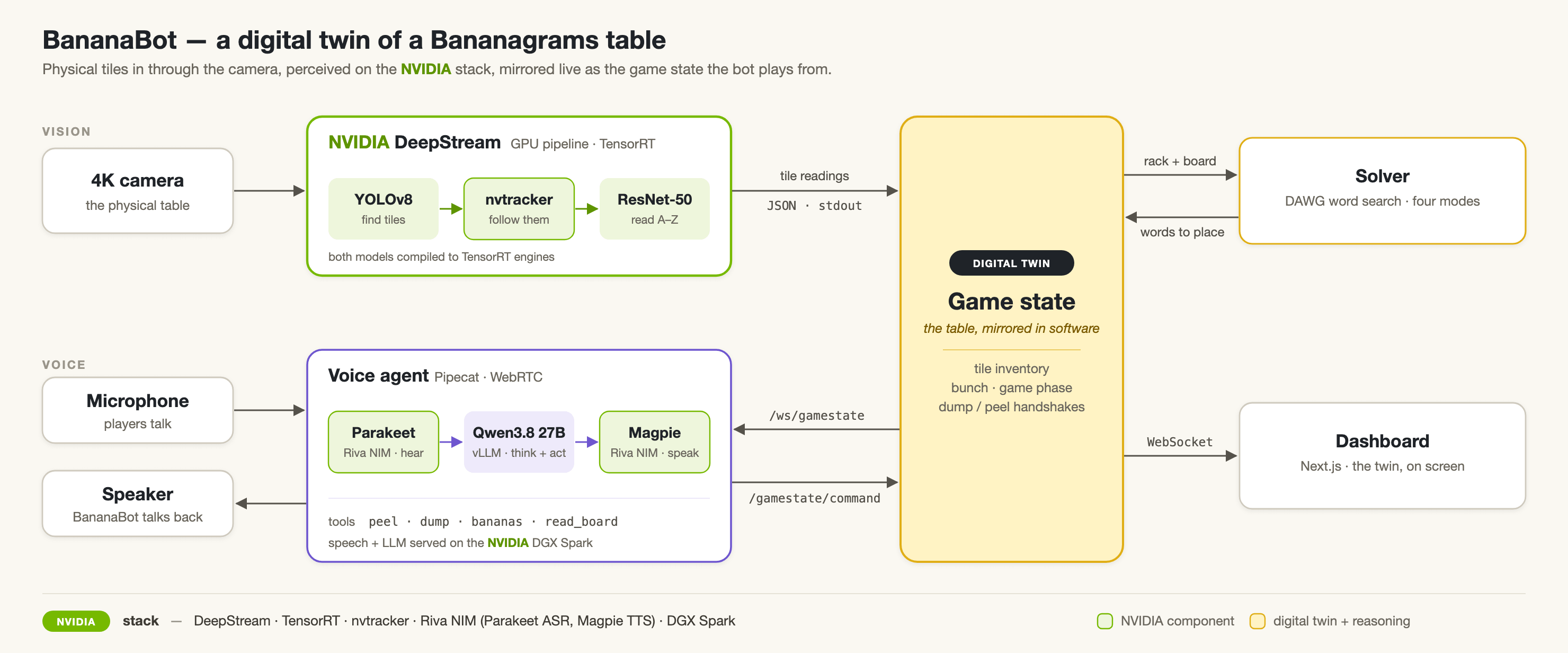
The green boxes are the NVIDIA parts, and we will go through each of them further down. The labels on the arrows are what actually travels between the parts, from the JSON tile readings coming out of DeepStream to the two endpoints the voice agent uses to read the game and make its moves.
Perception is where most of the NVIDIA stack lives, and it runs as one NVIDIA DeepStream pipeline. A YOLOv8 detector finds every tile on the mat, NVIDIA’s tracker (nvtracker) gives each tile a stable ID while hands move it around, and a ResNet-50 classifier reads the letter on each one. Both are classic image models, trained the classic way, on a train/test split of photographs we took ourselves, and DeepStream runs them as TensorRT engines on the Spark’s GPU. We will come back to how that dataset was put together in Part 2.
Each camera frame comes out as a single line of JSON, which looks something like this (the values here are made up for illustration):
{"frame": 1842, "tiles": [{"object_id": 7, "letter": "Q", "confidence": 0.97,
  "bbox": [1204, 388, 1342, 526], "alternative": ["O", 0.02], "uncertain": false}]}
The object_id stays the same while a tile slides around the mat, and alternative is the classifier’s second guess. When the top two guesses are too close to call, uncertain says so, so the dashboard can admit it isn’t sure rather than show a confidently wrong letter. That one line is the whole contract between the camera and the game, and it will come up again in Part 3.
Game state is the digital twin itself. It only believes a letter once it has held steady for 15 frames (half a second at 30 fps), and from there it keeps BananaBot’s inventory of tiles, its crossword, and what’s left in the bunch.
Reasoning is the word solver, which works through four modes, from simply extending a word already on its board all the way to lifting a few words off and rebuilding them. It’s deliberately paced to play at human speed, because a bot that calls “Bananas!” three seconds into the game is no fun at the family table.
The dashboard shows BananaBot’s crossword on a monitor, so everyone at the table can see what it’s building.
Voice is the part you actually talk to, and it’s built on Pipecat, the same open-source framework I used for the phone bots back in #13, #14 and #15. It is always cool to build on previous work, and this time the pipeline runs against models on the Spark instead of cloud APIs: Parakeet STT turns speech into text, a Qwen 3.8 27B LLM model decides what to say, and Magpie TTS speaks it.
The voice agent doesn’t just chat, either. It reads the game state as it changes, hears game events as they happen, and acts through a handful of tools (peel, dump, bananas and read_board) that call the game server, which checks every move against the real game before accepting it.
The NVIDIA bits
Here is the NVIDIA part of the stack, and what each piece does for BananaBot:
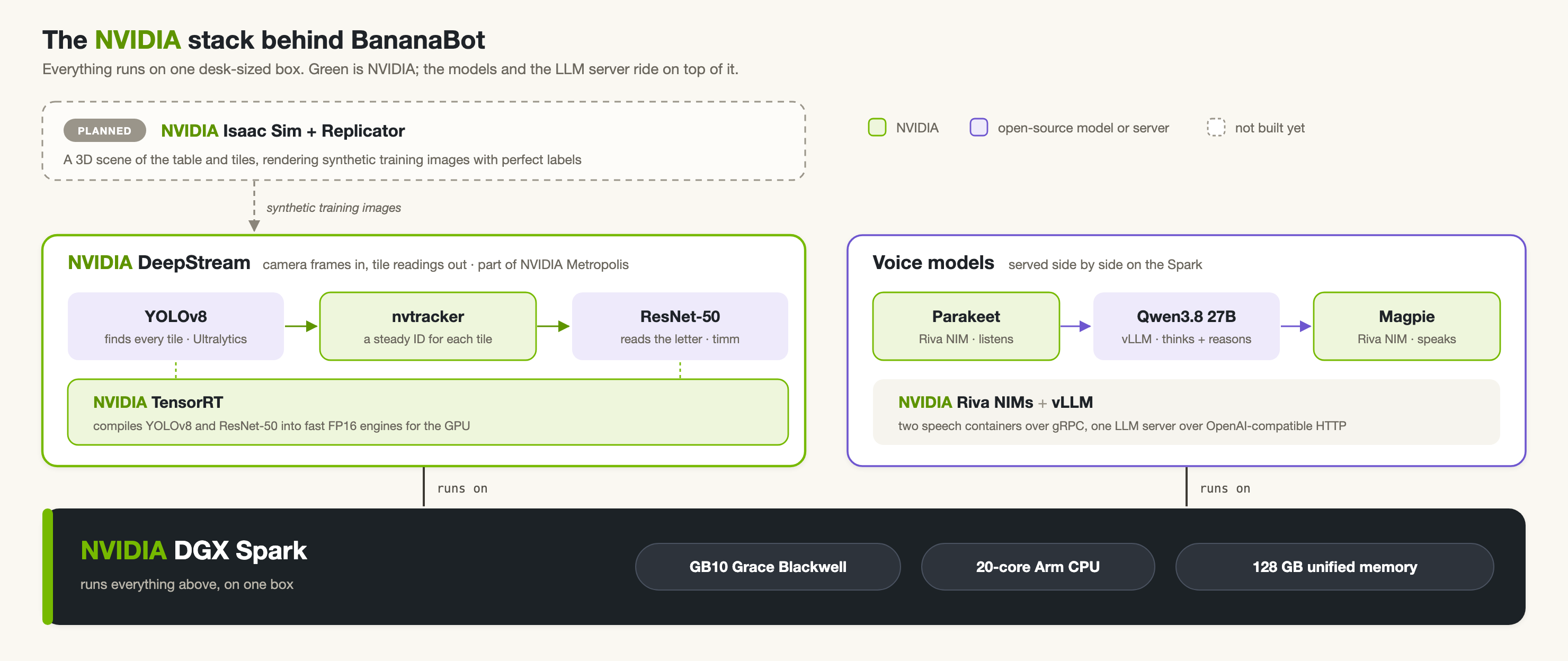
The models themselves aren’t NVIDIA’s. The detector is YOLOv8 from Ultralytics, the classifier is a ResNet-50 from Ross Wightman’s wonderful timm library, the word solving builds on Colin Clement’s banangram solver, and the voice pipeline is Pipecat, open-sourced by the team at Daily. What NVIDIA brings is everything needed to run those models locally on one box, reading a live camera feed and listening and speaking in real time. It also facilitates and strings together these models into a video analytics pipeline, called DeepStream, and the DGX Spark to run it all on.
Where it stands
Quite a lot of BananaBot already works. The whole game loop closes in the simulator, dumps, peels and all, and 527 tests pass. It can hear and speak: you can ask it what’s on its board, and it will answer from the Spark.
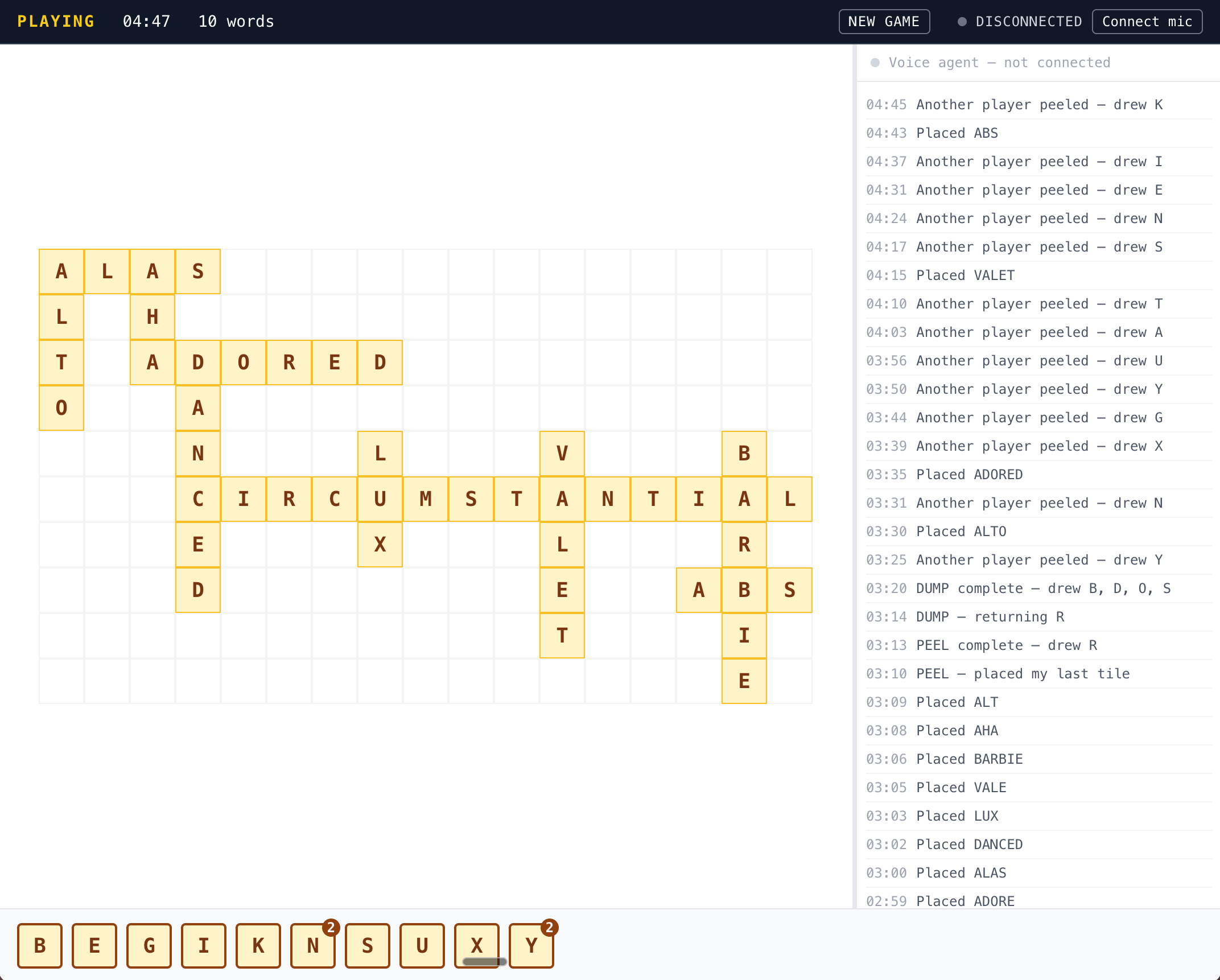
This is the dashboard, captured from a simulated 30-tile game (no camera, no Spark), about five minutes in. The middle is BananaBot’s crossword, which only exists in software, since its real tiles stay scattered on the mat. Along the bottom is its rack of unplaced tiles (the little badge means it holds two of that letter), and the top bar shows the game phase, the clock and the word count.
The column on the right is the event log. Every word it places, every dump and peel, and every time it works out that another player has peeled shows up there as it happens (that’s the simulator’s virtual opponent, keeping BananaBot honest).
The vision system took the most development time. Back in June I trained a letter classifier on still iPhone photos of the tiles, and it scored 99.1% on its test set. However, once the real 4K camera came in, neither the detector nor the classifier could read a single tile on the mat, and in one early test run the classifier only achieved a paltry 11% accuracy. We’ll cover later how we were able to get this to work using some classic machine learning techniques and clever scripting.
In the next article, we will look at how the bot was retrained on hundreds of photographs extracted from a video of the game itself, and why two small classic models beat the big AI LLMs for this digital twin use case.
Till then,
JO