

In Part 1, we saw how JO’s Bike Shop Chatbot could sound perfectly professional while quietly leading a customer to show up at a closed shop for a service we don’t even offer. If you’re building LLM apps, that “plausible-but-wrong” drift is your biggest enemy.
But how do we stop guessing and start fixing? It all starts with Traces.
If an LLM application is an aeroplane, a Trace is the Flight Data Recorder (the “Black Box”). When the plane lands safely or crashes, you don’t just look at the wreckage; you look at the logs to see exactly what the sensors were reporting at every altitude.
What are we building again?
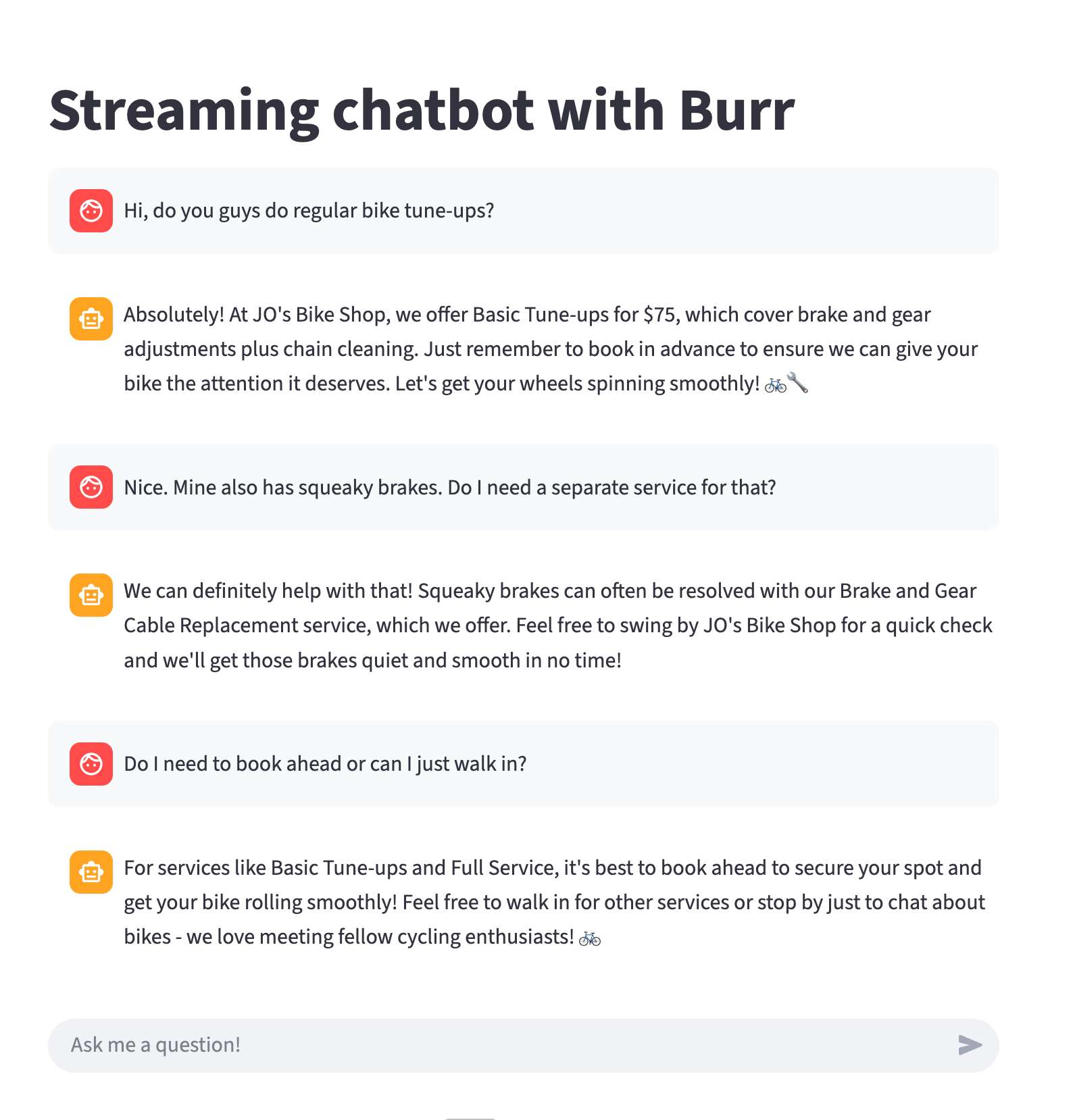
To keep things simple, I’ve been using a Streamlit-based interface for JO’s Bike Shop. It looks like a standard chat window, but behind the scenes, it’s powered by a state machine that tracks whether the user is just “browsing” or trying to “book” a repair.
Step One: Trace Collection
You cannot evaluate what you haven’t recorded. Before you can build fancy “AI Evaluators” or automated tests, you need a library of real (or high-quality synthetic) conversations. Go synthetic is especially critical when you have a brand new application, where you need “real-world” traces, but don’t have real users to collect real traces from.
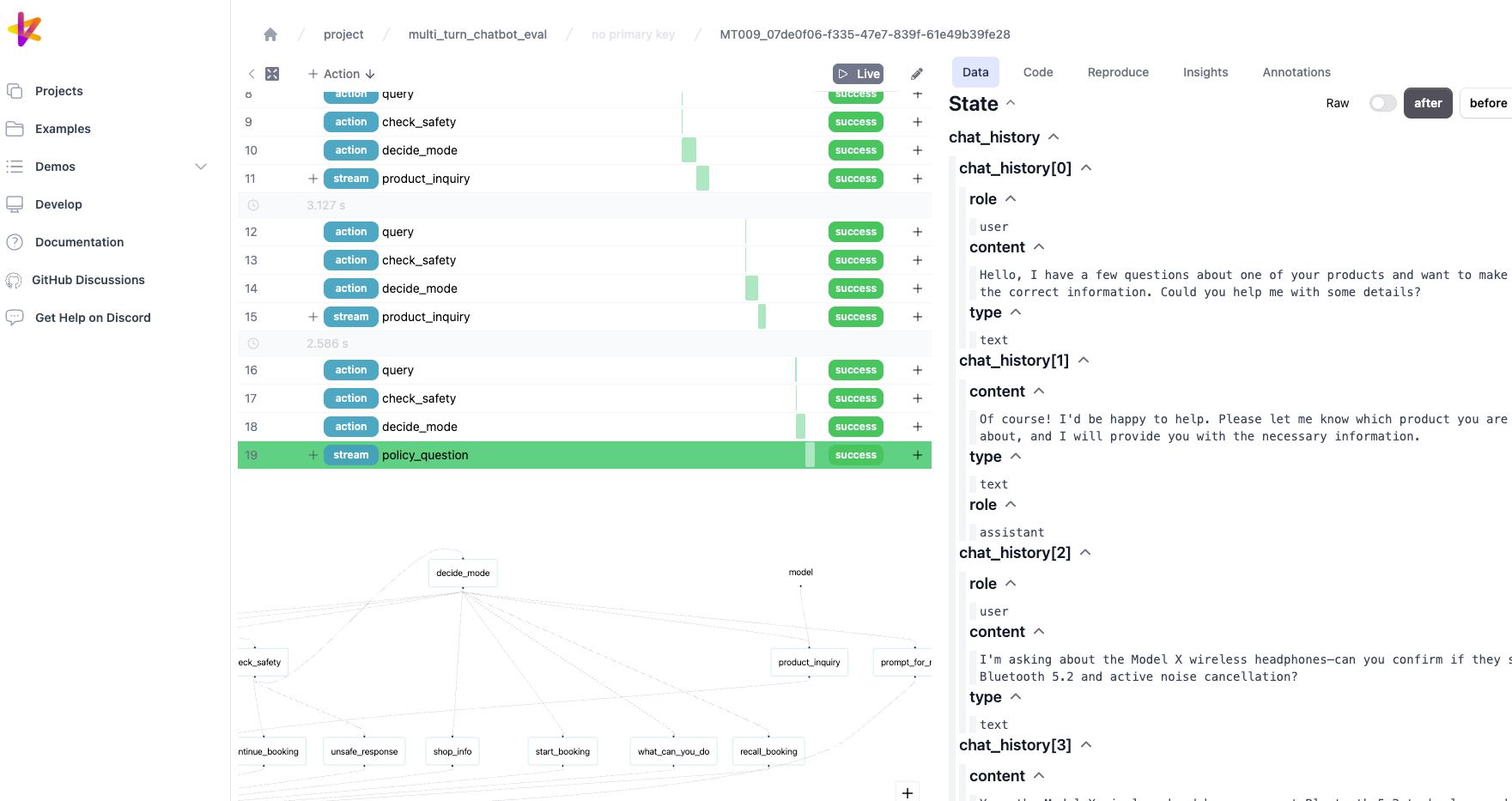
I use Apache Burr for this. Burr is a state-management library that essentially takes a “snapshot” of the chatbot’s brain at every turn. It records:
The Input: What the user said.
The State: What the chatbot “thought” was happening (e.g., “User is asking about Saturday hours”).
The Result: The actual text sent back.
While I’m using Burr because it fits my workflow, the tool itself matters less than the habit. Whether you use LangGraph or say Pydantic AI, these libraries allow you to save traces just like Burr, although you’ll have to confirm by yourself if they allow you to direct them to a local OTel collectors or even to local files. Or even just save your own JSON logs to a database; tracing is the fundamental foundation of all evaluation work.
What does a Trace actually look like?
It’s not just a chat log. It’s a data object. Here is a simplified snapshot of a trace from a conversation turn of our chatbot:
{
  "turn_number": 3,
  "messages": [
    {
      "role": "user",
      "content": "Do I need to book ahead or can I just walk in?",
    },
    {
      "role": "assistant",
      "content": "Hey there! At JO's Bike Shop, it's best to book ahead for our services to ensure we can give your bike the attention it deserves. Give us a buzz at (503) 555-BIKE or drop by and chat with our team to schedule your tune-up or maintenance. Can't wait to get you back on the road! \ud83d\udeb2",
    }
  ]
},
{
  "turn_number": 4,
  "messages": [
    {
      "role": "user",
      "content": "Cool. I\u2019d like to drop my bike in tomorrow morning 10am then. Is that usually a quiet time?",
    },
    {
      "role": "assistant",
      "content": "Perfect! Let me confirm your appointment:\n\n\u2022 Service: Brake and Gear Cable Replacement\n\u2022 Date: tomorrow\n\u2022 Time: 10am\n\u2022 Issues: squeaky brakes\n\nDoes this look correct? I can book this for you now!",
    }
  ]
}
Looking at this JSON, in Turn 3 the conversation could easily have turned into a hallucination, since the shop requires advance booking for brake and cable tune-ups, which this customer needs for their bike. There are more trace details in the actual JSON file here, including the state of the chat application at each turn.
Without this trace, it would be hard to determine, when running your evaluations, whether your bot responds with hallucinations or provides details grounded in facts. This is the foundation for building evaluations for our chatbot.
Synthetic Data
When you’re building your application, especially when you haven’t released it yet, there will be a shortage of real-world users from whom you can collect traces. One technique is to generate synthetic traces that we can use for error analysis. There are a couple of strategies for this.
Single Turn Conversations
Building single-turn conversations is simpler. First, we generate the scenarios, review the notebook where we generate unique dimension tuples, and use an LLM to generate the scenarios. Once the tuple scenarios have been created, we then use an LLM again to run these synthetic questions and allow our chatbot to respond.

Multi-turn Conversations
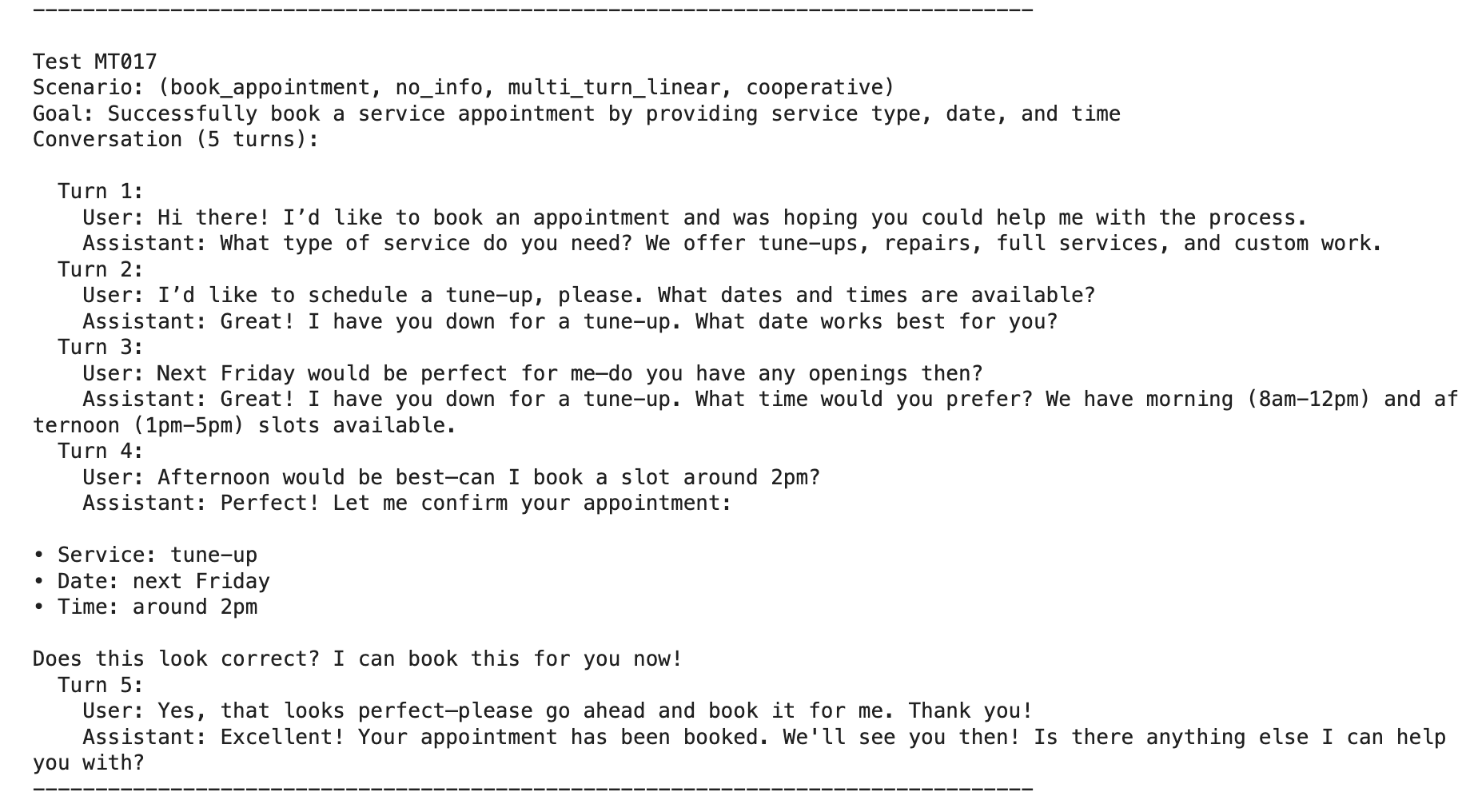
Multiple-turn conversations are a bit more complicated to build synthetic conversations from. However, they are not much more difficult with the help of some smart people in the community. One library, called Deep Eval, has a feature called Conversation Simulator that allows us to simulate full conversations between a synthetic user and our chatbot.
Step Two. Open Coding - Naming Failure Patterns
Imagine you’ve run 50 test conversations through JO’s Bike Shop Chatbot. You have 50 JSON conversation traces. If you just glance at them, you’ll think, “Yeah, it seems a bit buggy.” But “a bit buggy” is not an engineering requirement. You can’t fix “buggy.”
Open Coding is the process of reading those traces and assigning a short descriptive label to them. It has nothing to do with source code at all. This process is not something I have invented. In fact, it is a term adapted from Grounded Theory, a research method in which you build a theory directly from the data collected. Those customer or user survey feedback forms that many providers ask you to fill in? Yes, understanding and finding insights from them are most definitely achieved by the same methods we use here.
How I did it with the Bike Shop Traces
I sat down with a croissant and a cup of coffee and opened both single and multi-turn traces. Every time the bot said something that didn’t align with the shop’s “Source of Truth” (my fictional handbook), I assigned it a label.
Here is what that looked like in practice:
The Trace: User asks about e-bikes. Bot says, “We do motor diagnostics!”
My Label: User is asking a general question about e-bikes, but the bot is replying with a very specific answer about e-bike motor diagnostics.
The Trace: User asks about Saturday hours. Bot says, “We close at 5 PM.”
My Label: The AI bot answers with a “common sense” closing time of 5PM; however, Saturday (or weekend) hours are different.
The Trace: User says, “I’ll come in at 9:30 AM.” Bot says, “See you then!”
My Label: The AI Bot is too agreeable and always says yes by default, without taking into account the actual opening time on that day.
The “Aha!” Moment
The magic of Open Coding is that you don’t start with a list of errors. You let the emerging error labels tell you what they are. In my first 10 traces, I noticed the bot kept telling people they didn’t need an appointment. I labelled them with similar descriptions. By the time I reached trace #15, I realised I had used that same label 6 times!
Suddenly, I wasn’t just “vibing” that the bot was wrong. I had data. I knew 40% of my failures stemmed from a failure mode in our booking policy. Fixing this particular failure mode can improve my chatbot by this much.
Why this is a “Mindset Shift”
For most of us, our instinct is to jump straight into the code and change the prompt. We see one error and we think, “Oh, I’ll just tell the LLM ‘Don’t say we do motor diagnostics’ in the system prompt.”
Stop. That is “Whack-a-Mole” engineering. Open Coding forces you to slow down. It turns a messy pile of conversations into a structured list of Failure Modes as we move into Axial Coding, which is coming next.
Do Open Coding yourself!
If you’re doing this for the first time, don’t overthink the descriptive labels. Use plain English. I know it might be tempting to hand this activity off to a 3rd party or rely on a good LLM, which can certainly perform it in a blink of an eye.
However, the most value-adding activity you can do for your project is this part. It includes collecting traces, open coding (or adding descriptive labels), and finally axial coding, which we will discuss in the next section. Knowing how your application fails your users is the best way to improve your application!
Step Three: Axial Coding - Tidying the Notes into Categories
If Open Coding is about creating a pile of sticky notes, Axial Coding is simply the act of grouping those notes into categories.
Think of it like sorting your laundry. You have a messy pile of clothes (your descriptive labels), and you start putting them into baskets: “Whites,” “Darks,” and “Delicates.” In our case, the baskets are our Master Categories.
When I looked at my “sticky notes” for the Bike Shop, the categorisation became obvious:
The “Bad Data” Category: I put every note about incorrect closing times, prices, or service lists here.
The “Policy Confusion” Category: I grouped all the notes where the bot gave incorrect advice about walk-ins vs. appointments, for example.
The “Over-Eager AI” Category: I put the notes where the bot promised motor diagnostics or firmware updates, even though that was wrong.
Why is this good
This three-step process - Collect, Describe, then Categorise - is the secret to moving beyond “vibes.”
Instead of telling your team, “The bot feels a bit hallucinatory,” you can show them a chart. You can say: “We have 15 instances of ‘Bad Data’ and 3 instances of ‘Over-Eager’ behaviour. Our priority should be updating our Saturday hours in the knowledge base, as that’s where most of our ‘Bad Data’ notes are coming from.”
You’ve turned a messy conversation into a concrete and actionable to-do list of tickets to improve our application.
Closing the Analysis Activity
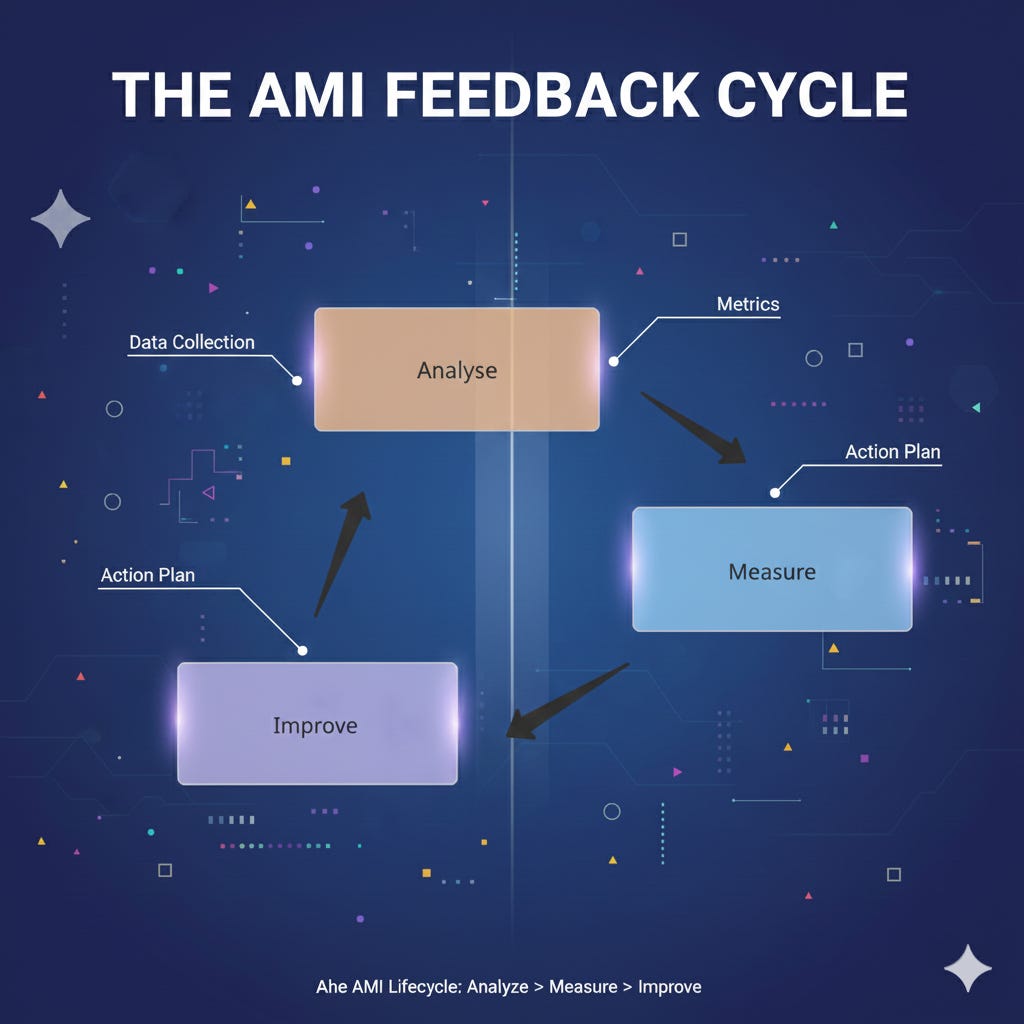
You’ve now mastered the Analysis phase of the AMI (Analyse, Measure, Improve) cycle. You know how to capture the “Black Box” recordings (Traces), describe the failures (Open Coding), and group them into actionable categories (Axial Coding).
But to be honest, doing this manually for every conversation isn’t scalable.
In Part 3, we’ll tackle the Measure phase. I’ll show you how to take the categories we just created and teach another LLM to recognise them. We’re going to build Automated Evaluators so your chatbot can be audited 24/7 without you needing a croissant or even a single cup of coffee!